FAQ
Common questions and troubleshooting for VidBee
What if a download fails or shows an error?
- Confirm the link is valid and opens in your browser.
- Update VidBee to the latest version and retry.
- If the content requires login or age verification, configure cookies.
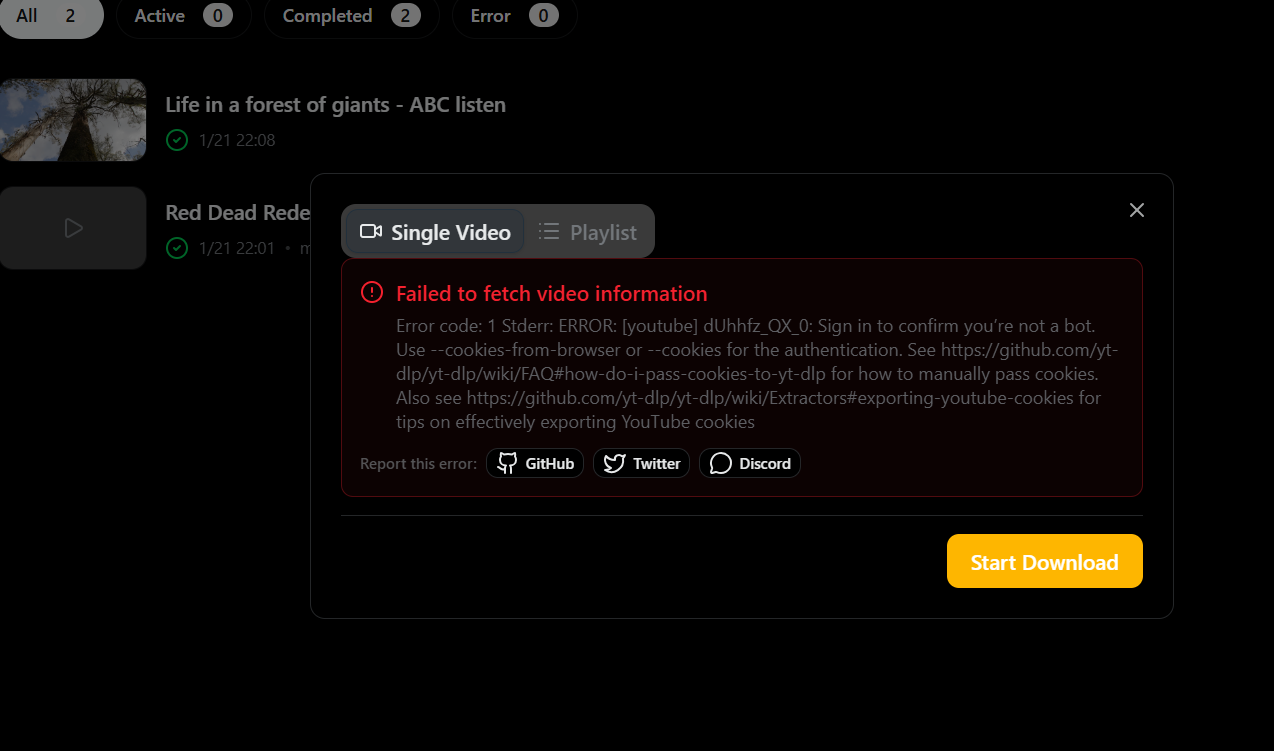
Why does the same link sometimes work and sometimes fail?
Some sites frequently change page structure or limit request rates. Suggested steps:
- Make sure VidBee is up to date.
- Reduce the number of concurrent downloads.
- Use cookies to reuse your signed-in session when needed.
Which sites are supported?
VidBee uses the yt-dlp extractor system and supports many sites. Try the download first; if it fails, submit feedback with the link and error details.
Why is the download speed slow?
- Check your network and proxy settings.
- Avoid starting too many tasks at once.
- Some sites limit bandwidth on their side.
macOS says “file is damaged”
Remove the quarantine attribute and retry:
xattr -rd com.apple.quarantine /Applications/VidBee.app/