VidBee FAQ, Troubleshooting, and Setup Help
Get quick answers for VidBee downloads, cookies, RSS feeds, protocol links, slow speeds, and common errors so downloads work faster.
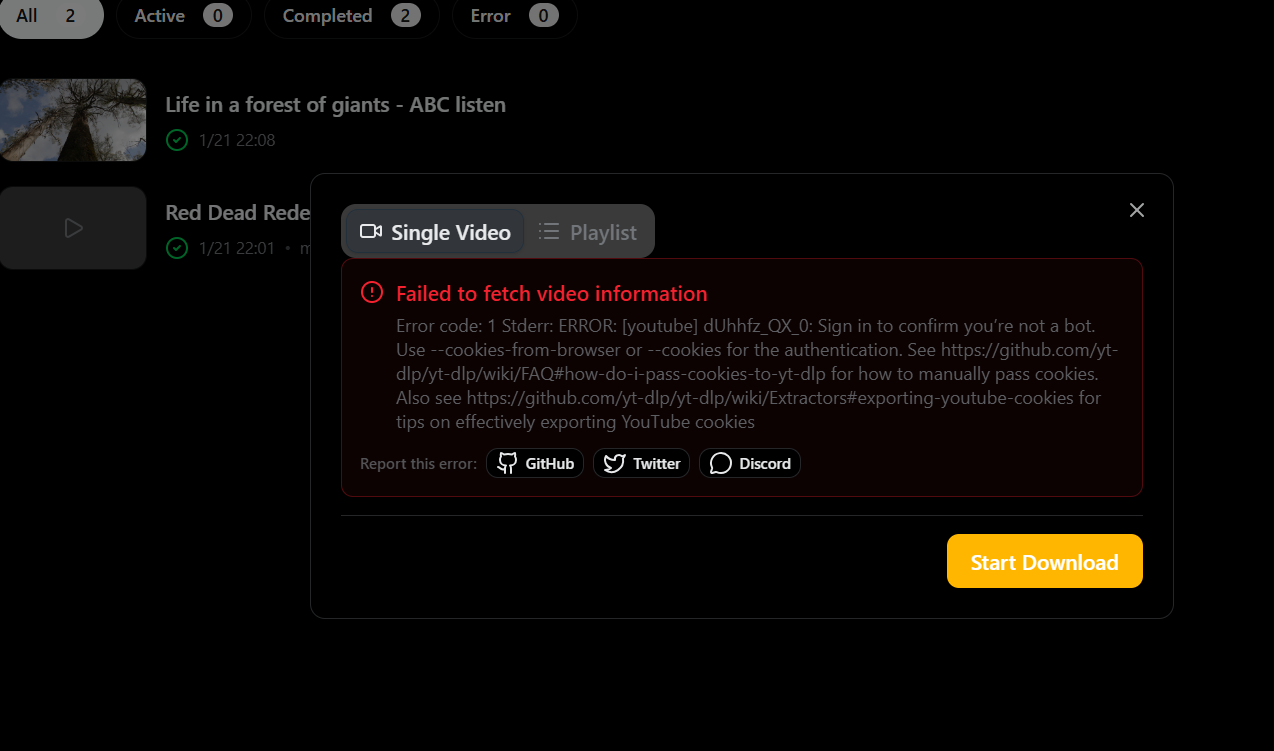
What if a download fails or shows an error?
- Confirm the link is valid and opens in your browser.
- Update VidBee to the latest version and retry.
- If the content requires login or age verification, configure cookies.
Why does the same link sometimes work and sometimes fail?
Some sites frequently change page structure or limit request rates. Suggested steps:
- Make sure VidBee is up to date.
- Reduce the number of concurrent downloads.
- Use cookies to reuse your signed-in session when needed.
Which sites are supported?
VidBee uses the yt-dlp extractor system and supports many sites. Try the download first; if it fails, submit feedback with the link and error details.
Why does VidBee ask me to sign in or confirm I am not a bot?
Some sites only allow downloads from signed-in sessions, or they show verification prompts before serving media files.
- If the page opens normally only when you are signed in, use cookies.
- If the content is age-gated, private, subscriber-only, or region-limited, cookies are usually required.
- If the site still blocks the request after cookies, the site may be rate-limiting or changing its anti-bot rules.
Why does an RSS subscription save but not queue new downloads?
Check these items first:
- Confirm the RSS URL opens in your browser and returns RSS or Atom XML.
- If you are using
rsshub.app, switch to a public or self-hosted RSSHub instance. The official instance is protected by Cloudflare and VidBee cannot read it directly. - Make sure the subscription is enabled.
- Review any keyword filter. If no new item matches, nothing will queue.
- If Download only the latest video is enabled, VidBee will only queue the newest unseen item.
For setup details, see RSS.
Why does VidBee open from the browser but not start the download?
This usually means the vidbee:// link was opened, but the page URL did not reach VidBee in the expected format.
- Make sure the browser allowed the external app prompt.
- Confirm the page or extension is passing a URL-encoded video link.
- If you are testing manually, use the format from the protocol guide.
- Retry after updating VidBee, because older builds may not match the latest browser behavior.
Why do some Facebook, X, or Vimeo links fail even when other links work?
These sites change frequently and often apply account, region, IP, or anti-bot checks per video.
- Retry with the latest VidBee version first.
- If the content is account-bound, use cookies.
- If the error mentions login, age, region, or account verification, the site is limiting access to that item.
- If a site-specific parser breaks upstream, send feedback with the exact link and error text so it can be reviewed faster.
What does “The channel is not currently live” or “No video could be found” mean?
These messages usually describe the source page, not a VidBee setup problem.
- The channel is not currently live means the stream URL points to a channel that is offline right now.
- No video could be found often means the post has no downloadable media, the media was removed, or the post format changed.
- Open the page in your browser to confirm the media is still available.
- If the media plays in the browser but not in VidBee, submit feedback with the link and the full error text.
Why is the download speed slow?
- Check your network and proxy settings.
- Avoid starting too many tasks at once.
- Some sites limit bandwidth on their side.
macOS says “file is damaged”
Remove the quarantine attribute and retry:
xattr -rd com.apple.quarantine /Applications/VidBee.app/